> ## Documentation Index
> Fetch the complete documentation index at: https://developer.ongoody.com/llms.txt
> Use this file to discover all available pages before exploring further.
# Embedded Payment Form
> Embed Goody’s credit card form into your application to sell products without processing payment.
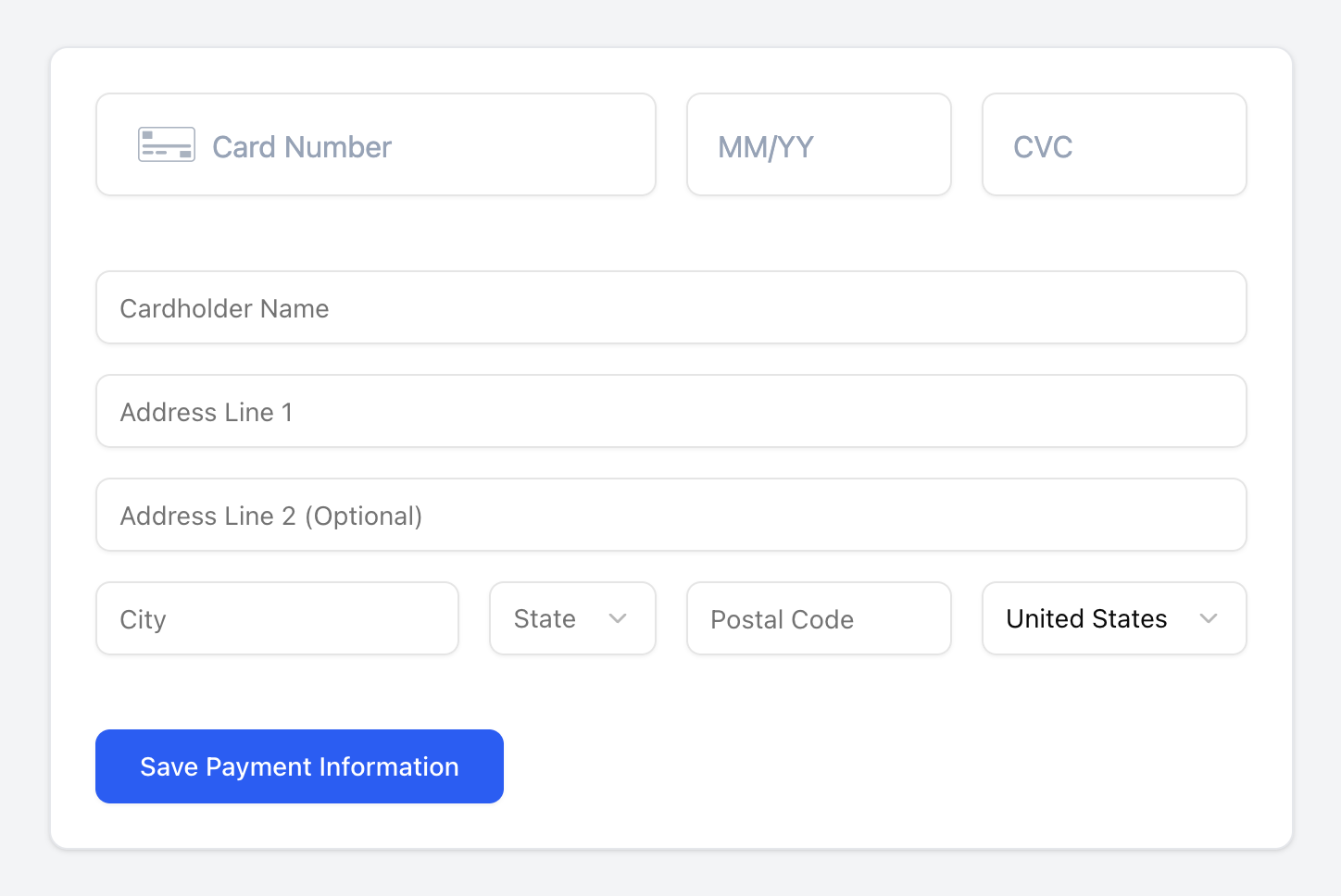 You can embed Goody's credit card form into your app to allow users to enter their credit card details directly into Goody's payment form. You can control virtually all of the styling of the payment form.
## How it works
1. Embed Goody's payment form using our pre-built code sample, or build your own UI. Goody's payment form uses tokenization from [Very Good Security](https://www.verygoodsecurity.com/), the leader in PCI-compliant card tokenization, so your servers never touch any sensitive credit card details.
2. After your user enters their payment information and billing address, the payment form will tokenize the card data, save the data to Goody's server, and return an `interim_card_key`. This is a key that identifies a temporary record of the card information that can be used to create a payment method.
3. Call Goody's [POST /commerce\_user\_payment\_methods](/api-reference/commerce-user-payment-methods/create-a-commerce-user-payment-method) endpoint with the `interim_card_key`, cardholder name and billing address, and the `commerce_end_user_id`, the user ID of your app's user to associate this payment method with. You'll receive an `id` of a payment method back.
4. [Create an order batch](/api-reference/order-batches/create-an-order-batch) by passing the `payment_method_id` and the `commerce_end_user_id` that the payment method belongs to.
5. When the order batch is paid for, the payment will be processed to the end user's credit card.
## Code samples
We're here to help you integrate the embedded payment form. Contact us by clicking the "Apply now" button on the [Goody API](https://www.ongoody.com/business/gift-api) homepage or contact us at [support@ongoody.com](mailto:support@ongoody.com).
See the source code for our example app with a Next.js frontend and a Python FastAPI backend.
See our example app in action.
## Variables
| | Sandbox | Production |
| --------------------------- | ------------------------- | ---------------------------- |
| **GOODY\_VGS\_VAULT\_ID** | `tntfizwd8io` | `tnt4fsnx8xx` |
| **GOODY\_VGS\_ENVIRONMENT** | `sandbox` | `live` |
| **GOODY\_VGS\_CNAME** | `vgs-sandbox.ongoody.com` | `vgs-production.ongoody.com` |
You can embed Goody's credit card form into your app to allow users to enter their credit card details directly into Goody's payment form. You can control virtually all of the styling of the payment form.
## How it works
1. Embed Goody's payment form using our pre-built code sample, or build your own UI. Goody's payment form uses tokenization from [Very Good Security](https://www.verygoodsecurity.com/), the leader in PCI-compliant card tokenization, so your servers never touch any sensitive credit card details.
2. After your user enters their payment information and billing address, the payment form will tokenize the card data, save the data to Goody's server, and return an `interim_card_key`. This is a key that identifies a temporary record of the card information that can be used to create a payment method.
3. Call Goody's [POST /commerce\_user\_payment\_methods](/api-reference/commerce-user-payment-methods/create-a-commerce-user-payment-method) endpoint with the `interim_card_key`, cardholder name and billing address, and the `commerce_end_user_id`, the user ID of your app's user to associate this payment method with. You'll receive an `id` of a payment method back.
4. [Create an order batch](/api-reference/order-batches/create-an-order-batch) by passing the `payment_method_id` and the `commerce_end_user_id` that the payment method belongs to.
5. When the order batch is paid for, the payment will be processed to the end user's credit card.
## Code samples
We're here to help you integrate the embedded payment form. Contact us by clicking the "Apply now" button on the [Goody API](https://www.ongoody.com/business/gift-api) homepage or contact us at [support@ongoody.com](mailto:support@ongoody.com).
See the source code for our example app with a Next.js frontend and a Python FastAPI backend.
See our example app in action.
## Variables
| | Sandbox | Production |
| --------------------------- | ------------------------- | ---------------------------- |
| **GOODY\_VGS\_VAULT\_ID** | `tntfizwd8io` | `tnt4fsnx8xx` |
| **GOODY\_VGS\_ENVIRONMENT** | `sandbox` | `live` |
| **GOODY\_VGS\_CNAME** | `vgs-sandbox.ongoody.com` | `vgs-production.ongoody.com` |